IZY Prompter
My independent teleprompter and video-creation app. Explore the new 2.0 experience: scripts, recording, timeline editing, automatic captions, filters and export across iPhone, iPad and Mac, with an Apple Watch companion.
Explore the story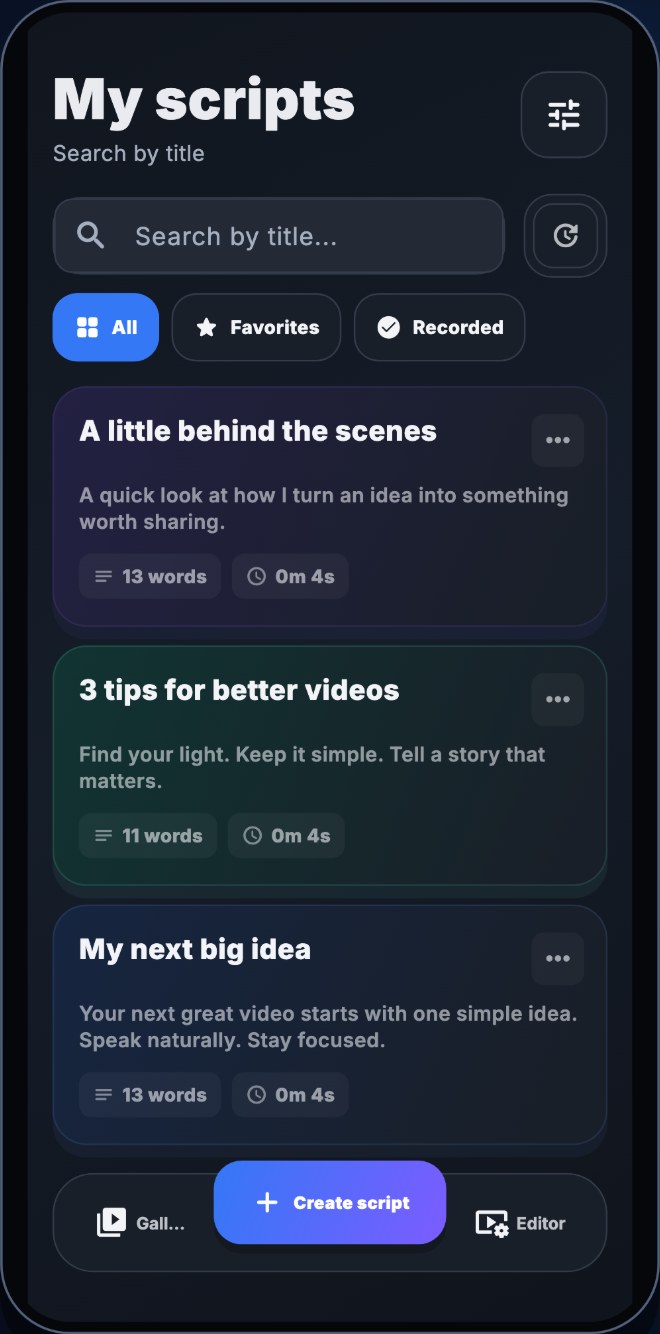
 IZY PROMPTER / 2.0
The project, the thinking and the outcome.
A personal product, built around the creator.
IZY Prompter brings writing, on-camera delivery and video editing into one creative workflow. I design and develop this independent product, from its Flutter interface to the native media features that support the finished video.
A new creative workspace.
Version 2.0 introduces a dark interface, a richer timeline editor, automatic captions, eight caption styles and eight adjustable video filters. Adaptive layouts make room for a sidebar, inspector and persistent timeline on iPad and Mac, while iPhone keeps the controls close to the recording experience.
The preview below follows the product from the first script to export, with a separate Apple Watch companion for recording controls.
One creative workflow.
Room on every screen.
Explore 19 interface previews across iPhone, iPad, Mac and Apple Watch. Select any device to enlarge its screen.
Every story starts with a line.
A script library designed for the way creators work: search, favourites and a focused writing space. The same visual language adapts from a pocket-sized list to a spacious desktop workspace.


Stay with the camera.
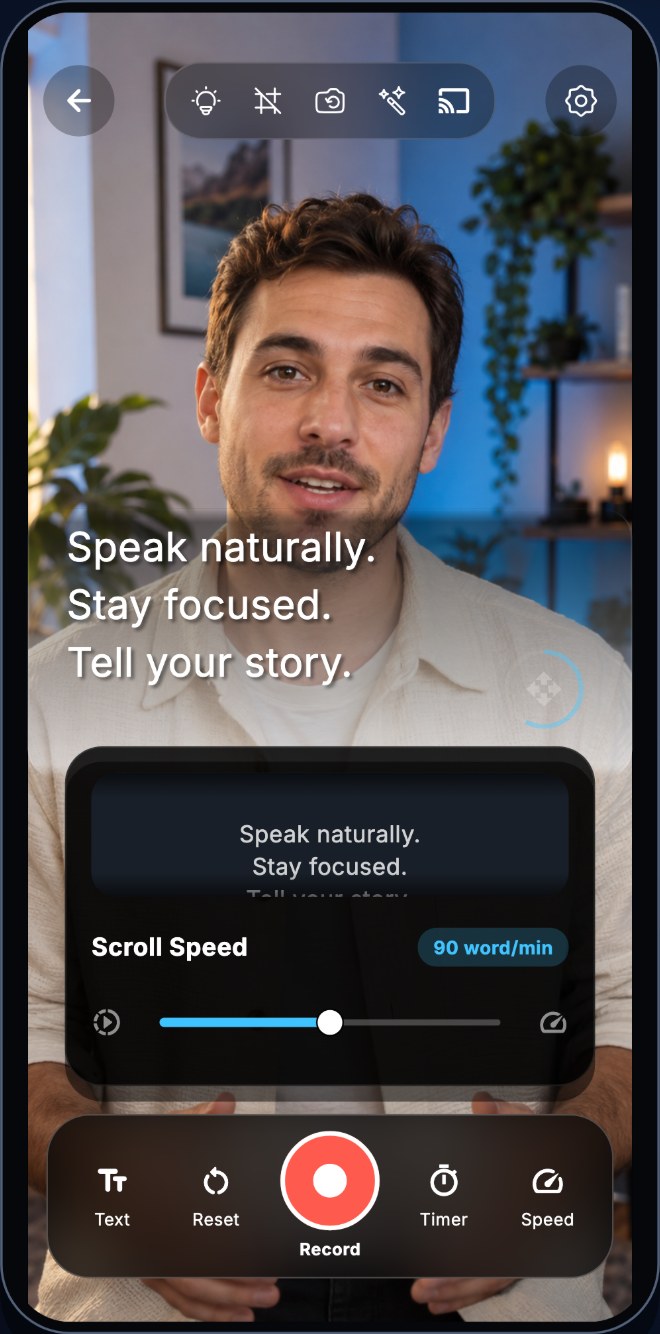
Read your script over the camera preview, adjust the scrolling speed and keep recording controls within reach. The iPad layout gives the preview and prompting controls more room.


Make every cut count.
Trim clips, arrange the timeline and shape the pace with transitions. On larger screens, the editor adds a tool sidebar and inspector while keeping the timeline visible.


Give every word a voice.
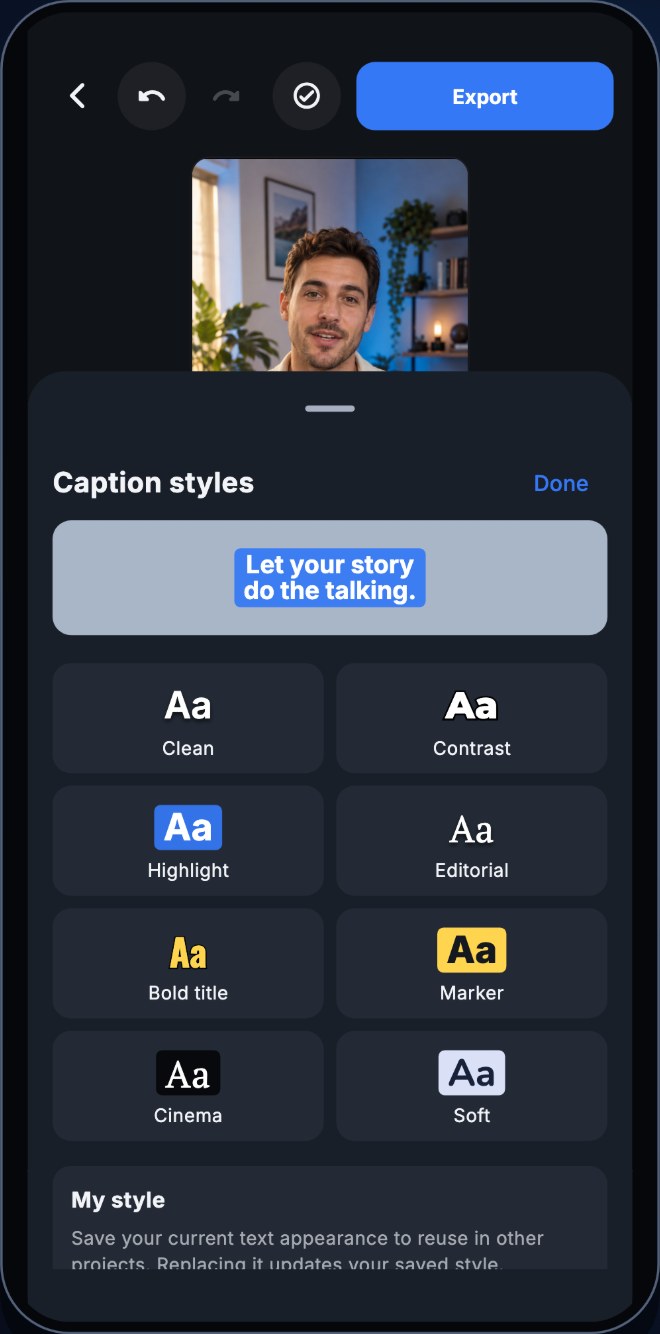
Automatic captions meet eight visual presets and a saved custom style. Preview typography, colour and backgrounds alongside the video, with dedicated controls on wider displays.


Find your signature look.
Eight video filters, adjustable intensity and comparison with the original. A compact picker on iPhone becomes a wider filter grid on iPad and Mac.


The final frame is yours.
Choose resolution and frame rate before exporting. The redesigned export panel brings output settings, saving and sharing options together in one place.


A glance.
A recording cue.
The Apple Watch companion presents a focused remote-recording interface: a ready state, a clear recording indicator and an elapsed timer.


Version 2.0 preview, currently in TestFlight. Interface captures use demo content; Watch screens show simulator states. The App Store link opens the currently published release.